Lenovo ThinkPad Yoga 14 Review
by Tablets for Artists
Update, Spring 2016: There is a newer version, the 20FY0002US. I have written a separate review of it you can read here. Click to see it at Amazon. This newer one doesn’t have the battery issues some of the units from the earlier model did, and this one comes with the Wacom ES pen in a silo in the body. Recommended.
Type of Tablet
Convertible Tablet PC (Laptop that turns into a tablet via a hinge. Keyboard is not detachable).
The rumored 15″ version that works with the pen never happened.
UPDATE: This computer in Windows 10 is now available at Best Buy.
NOTE: There are several versions of the Yoga ThinkPad 14 and some do not have the Wacom digitizer. The ones that do are: the 20DM008UUS, which has Windows 8.1, and the 20DM009GUS with Windows 10. It is confusing, the salespeople aren’t informed, and the info doesn’t appear in the product info.
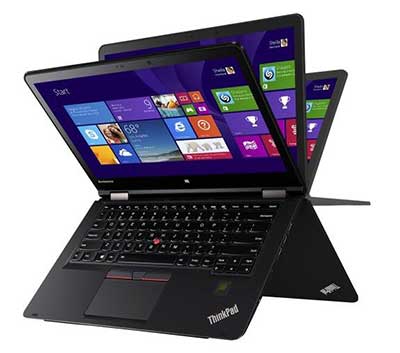
Lenovo ThinkPad Yoga 14
Overview
The computer, made of magnesium alloy with a plastic keyboard, is solid and good-looking, as well as slim. The display is bright and clear with deep colors. The hinge works well in all the positions. The trackpad is large and responds well. The extra screen space is a great addition for drawing. The ThinkPad Yoga 12 weighed 3.5 lbs., and the 14 weighs in at 4.2 lbs. The 12 actually had a brighter screen at 324 nits, but to me it did not look as bright, maybe because the 14 has a smudge-and-fingerprint-resistant coating that adds to the glossy sheen, whereas the 12 was matte. Glossy as it is, the surface is not too slippery for drawing, though I prefer drawing on the matte. So there is a tradeoff here between brightness and texture.
It boots up and shuts down quickly. Programs open quickly, too. There is just a single slot of RAM, and the 8GB is not expandable. But 8GB is plenty to run Adobe CC and other graphics programs. Bootup and shutdown are quick.

The Yoga 14 can open to a flat position, so you could draw on it like this and keep access to the keyboard.
Or you can push the screen down so it’s flat, with the keyboard on the bottom. Keys will be locked, so it’s helpful to use an external keyboard to access keyboard shortcuts.
Features
IPS display with 10-point multitouch, screen size 14″
Screen resolution 1920 x 1080 (Full HD)
brightness: 267 nits
1 TB hybrid hard drive with 16GB solid state drive
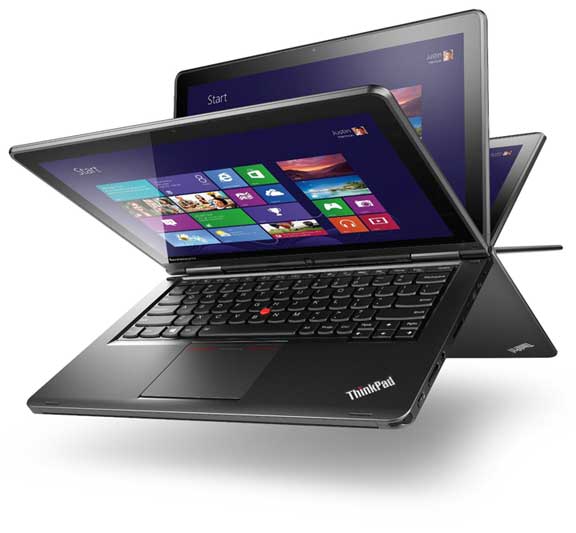
360-degree design to fold into 5 settings: laptop, tablet, tent, table, stand
Intel 4th Generation Core i5-4210U processor
8 GB RAM, non-expandable, soldered in (possibly could be expanded with some difficulty)
NVIDIA GeForce GTX 840M graphics that will switch on automatically when you open a program that uses it (or you can change options in the NVIDIA settings)
720p Webcam
keys that retract when in tablet mode
backlit keyboard (user turns on backlighting when wanted)
Dolby Home Theater audio
Height: 0.8″
Width: 13.3″
Depth: 9.4”
Weight: 4.2 lbs.
3 USB ports: two 3.0 and one 2.0
No Ethernet port
1 full HDMI output
What’s in the Box
Thinkpad Yoga 14 2-in-1 14″ Touch-Screen Laptop
4-cell lithium-polymer battery
Power cord, AC adapter
Owner’s manual
Durability
The Lenovo Thinkpad Yoga 14 has military-grade protection for shock, vibration, sand and dust. The computer is solid and should be a brawny travel companion.
Portability
The PC’s weight, while light for its size, it’s a lot to tote around for long periods of time.
Wacom ES Digitizer
The 14 uses Wacom ES, which is sort of like a marriage between Wacom EMR and N-trig. The pen takes batteries. The ThinkPad Yoga 12 uses traditional Wacom EMR technology, so you could use a regular Wacom pen such as the type you use for the original Surface Pro and Surface Pro 2, and attain 1,024 levels of pressure sensitivity. You cannot use that kind of pen with the 14.
Wacom ES feels somewhere in between N-trig and traditional Wacom EMR. It has the 2,048 levels of pressure sensitivity of Wacom, with the better edge accuracy of N-trig. It’s the same tech used in the Toshiba Encore 2 Write. (That does not mean that all the pens will work on all of them.) The drawing/painting experience won’t be quite as fluid as Wacom EMR, but it requires less initial activation force (amount you have to press down to get a mark) than the Surface Pro 3, which is N-Trig, so you won’t have to worry about having to press hard. ES (also called AES) tends to have a lower hover distance.
If you go to see this computer and want to see that it actually has Wacom, simply type the word Wacom into the Windows search box and the Wacom settings will pop up in the search results.
Pen
To get pressure sensitivity, you must use the ThinkPad Active Capacitive Pen, also called the Lenovo ThinkPad Pen Pro. (Since this is multitouch, you can use any old capacitive stylus–such as for the iPad–on this, but with no pressure sensitivity).

Here’s the pen on Amazon.
The pen takes an AAAA battery. It has two programmable buttons. It also has a holder that attaches to the laptop via a USB port.
On Amazon and other sites, there is something called the Lenovo ThinkPad Active Digitizer Pen. Do not buy that. That is a traditional Wacom pen and will work on the ThinkPad Yoga 12 2-in 1, but not on the 14. The name is very confusing. To make things even more confusing, there is an earlier version of the 14 that has no active digitizer. So be sure you are getting this 2nd-generation model. There is also a Yoga 15 without the digitizer. Best Buy and Lenovo are not much help with providing info on what pen goes with what. The Lenovo Web site contains very little info. Lenovo’s Helix pens will also not work on the ThinkPad Yoga 14.
Drawing on the ThinkPad Yoga 14
Wacom ES is not too big of a compromise from traditional Wacom. If you’d rather have an all-in-one than a Cintiq13, and a Cintiq Companion isn’t affordable or what you want, and you want something larger than most options, this is a reasonable choice as far as drawing. The 8GB of RAM lets you easily multitask and use Adobe Photoshop and all the CC programs. In Photoshop CC, you can select to run the NVIDIA dedicated graphics GPU (watch the video below)–actually, it will go on by itself but some people choose to control the settings more.
The Lenovo’s screen is bright, and images look crisp. Using keyboard shortcuts on the Yoga 14 is tricky because the keys retract once out of laptop mode so you’d have to unfold the tablet or use the on-screen keyboard, or, better, use a Bluetooth keyboard. In Photoshop CC, you can create Photoshop Actions to avoid keyboard commands.
https://www.youtube.com/watch?v=_8eUW6N2wK8
Watch this video to see a drawing demonstration, and see how to run the dedicated NVidia graphics GPU in Photoshop CC for better performance.
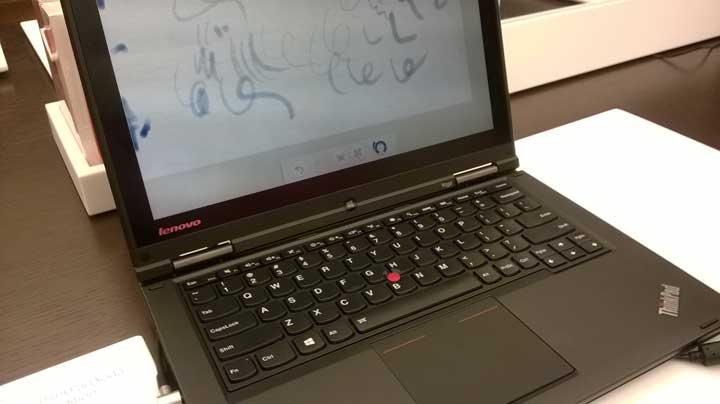
As far as typing, the keyboard is comfortable and well-made, and the ThinkPad little red button nested in the keys can be used as a pointer. The trackpad is large and has buttons on it than can be used as selection and right-click tools.
Screen
The 1080 IPS High Definition screen is bright and cheery with excellent viewing angles, good contrast and a smudge-and-fingerprint antiglare coating. It’s glossy, but not too slippery to draw on. The colors are rich and contrast is deep.
The Dolby sound can get very loud, but it has a bit of tinniness.
As you can see, the screen is pretty glossy and bright. Photodon.com has screen protectors especially made for this computer. You can try one that’s not too matte, such as the 25% anti-glare one, to preserve image sharpness.
Here you can verify that it has a Wacom driver–when in doubt, just type Wacom into the search box.

Battery life
around 6.5 hours
The battery life is a good 90 mins. less than the ThinkPad Yoga 12s.
Battery issues
There are serious concerns with the battery beyond that it doesn’t last a full workday. Many users had battery problems, causing inconsistent brightness, power drain, and random shutdowns. The Lenovo forums contain a long thread by stressed-out users. One person figured out the issue and the fix, but it’s not something everyone can do themselves, plus the method may void the warranty. These complaints are not showing up a lot in the Lenovo Yoga ThinkPad 14 reviews so far, so I don’t think this is incredibly widespread, but it’s hard to say because the release of this model is relatively recent as of this writing. Lenovo is aware of it and perhaps they will do something about it. We will follow the issue and add updates. A couple of commenters here and elsewhere have said that they got ones with no problems and really like them. Still, pay close attention to any return policies.
Tip: disable adaptive brightness and power management to get more consistent brightness.
Pros
fast processor
dedicated graphics
2,048 levels of pressure sensitivity with pen
great display
nice keyboard
large screen
Cons
glossiness of screen not ideal for drawing
have to buy pen separately, lack of information from dealers
not as fluid as traditional Wacom
battery life of 6.5 hours relatively short
weight of 4.2 lbs. hefty to carry
risk of getting one with bad battery
User reviews
Many people are really happy with the Yoga 14 because it’s fast, the pressure sensitivity works well, and it can run Photoshop and other programs breezily. One Lenovo ThinkPad Yoga 14 review described it as “amazing.”
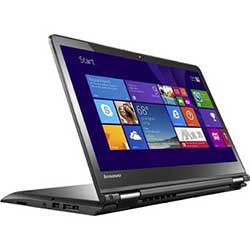
This is it in tent “pose”:
<
The Verdict
This laptop is a very good choice for an artist, if you get one without the battery issues. So it’s hard to give a clear recommendation in this Lenovo ThinkPad Yoga 14 review, because as an art tablet it’s pretty great, so it gets a qualified “Namaste” (recommendation). If you feel life’s about taking risks, it may be worth it. The ThinkPad Yoga 12 (also called the ThinkPad Yoga 2 in 1) has a smaller, 12.5″ screen, but these battery issues haven’t been reported and it has traditional Wacom. As far as the 14, the price is great for the features it offers.

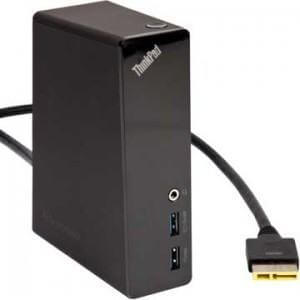
Lenovo ThinkPad One Link Pro Dock (pictured) (Amazon)
end of Lenovo ThinkPad Yoga 14 review
Read review of the newer version of the TP Yoga 14.