Category Archives: Articles

Informational articles on various topics related to art tablets and digital art, tech news, and more.

Wacom Bamboo Smart stylus: Universal AES

Wacom Bamboo Smart Stylus

The Wacom Bamboo Smart stylus is one of the smallest, yet biggest developments unveiled at CES 2016. It’s a universal stylus for AES devices–well, not totally universal, since Wacom is only listing 5 devices it has tested it on, but it’s a great start, as that’s a good chunk of existing AES devices. And, perhaps it will work with other AES devices as well.

AES, Active Electrostatic, has really caught on in digitizers. It’s less expensive for companies to make than traditional Wacom EMR, and it’s more sensitive than N-trig as a drawing and note-taking pen. It’s a happy medium between N-trig and traditional Wacom EMR.

The long name for the pen is “Bamboo Smart for Select Tablets and 2-in-1 Convertible Devices,” (really trips off the tongue, huh?) which should not be confused with the Bamboo Smart for Samsung Galaxy Note, though they look similar. (To avoid other potential confusion, if you’re using a Wacom Bamboo graphics tablet, it will not work on that, it just uses the name Bamboo).

bamboo smart stylus

The Bamboo Smart stylus will be compatible with the Dell Venue 10 and Dell Venue 10 Pro 5000 series, the HP Elite X2 1012 G1, the Lenovo ThinkPad P40 Yoga, and the new Toshiba dynaPad N72.

It’s a bit fancier in build than a regular Wacom pen and has two programmable side buttons. The nibs are replaceable. The top has a cap that actually fits on the bottom (take that, Apple Pencil). The AAAA battery should keep you inking for a year if you use it 3 hours a day (of course, a lot of people might use it far more than that, so it’s good to have rechargeable batteries or keep spares). Note: AAAA batteries aren’t always for sale at the local drugstore–to find them, you might have to go to an electronics store or order them online.

The pen has 2,048 levels of pressure sensitivity. It does not offer tilt sensitivity.

This is a valuable development, as is anything that makes life simpler. While people won’t necessarily need the smart stylus, it’s good to have an extra stylus other than the one that comes with a device.

You can see it Bamboo Smart Stylus in its packaging on the Wacom blog.

Learn more about top digital art tablets.


Duet Display app turns iPad into “Cintiq” for Mac or Windows

Duet Display turns iPad into a “Cintiq” for Mac or Windows

Like the Astropad app, Duet Display is an app, created by former Apple engineers, that turns your iPad or iPhone into an input device or second monitor, and it’s now made for both Mac and PC. It works without lag because uses a USB connection rather than Wi-fi. (you can use your Lightning Connector to USB).

First, you download it to your Mac or Windows PC from the Duet Display site, then go to the iTunes store to download the app for iPad. It works with all iPads running iOS7 and up, and all Mac and Windows computers (laptops and desktops) running OS X 10.9 or Windows 7 and later (though I have written them to get clarification on whether it’s OK for Windows 10 as their site says 8.1, so I will update this post after I hear back). Apparently, using a Retina MacBook with it can spike CPU usage.

You can still use graphics tablets and Cintiqs attached to the computer at the same time.

With the Duet, the iPad still won’t give you pressure sensitivity or palm rejection unless you use certain drawing styluses and apps; these use Bluetooth.

More info at duetdisplay.com.

https://www.youtube.com/watch?v=CCcCOnw2-zk

Microsoft: Power cord recall for Surface Pro 1, 2, and 3

Microsoft recall of power cords for Surface Pro 1-3

Due to overheating concerns, Microsoft  issued a voluntary recall of AC power cords for the Surface Pro, Surface Pro 2, and Surface Pro 3, if they were sold before March 15, 2015 in the U.S., and July 15, 2015, anywhere outside the U.S. The recall was announced on Jan. 21, 2016.

According to the company, the overheating can be triggered by cords that are tightly wound or bent, which can get damaged that way and become a fire hazard. They stress that the problem affects only a very few users. But, for safety, they recommend that you no longer use your existing cord, regardless if it appears damaged or not.

To fill out the form to get your replacement cord, go to the Microsoft page here.

The new Surface Pro power cords don’t have this issue, and they match the ones sold after March 15th, 2015 in the U.S. and July 15, 2015 elsewhere.

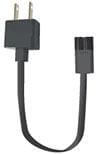
The recall does not apply to the power brick, which is the power supply, but only to the AC power cord, the part that attaches to the electrical outlet. Here’s a photo:


microsoft-recall


This problem and the recall ONLY affect the Pro, Pro 2, and Pro 3, not the Surface 3, Surface RT, Surface Pro 4, or Surface Book, and not to cords for docking stations for the Pro, the Pro 2, or Pro 3.

Microsoft says users should safely dispose of or recycle their existing cords in accordance with local regulations. You don’t return the cord to Microsoft, you just request a new one. All replacement cords will come directly from Microsoft. They will issue one new one per device.

Again o get your new AC power cord, go to this page on the Microsoft site.

This article has more info on the recall.

If you have an affected Surface Pro, Surface Pro 2, or Surface Pro 3, please stop using  your existing power cord, dispose of or recycle it safely, and send go to the Microsoft recall page to order a new one.

Greetings from CES 2016

me at ces

Taken with Nubia smartphone light-painting app, demo was at the Nubia booth.

I’m here at the Consumer Electronics Show in Las Vegas. Hoping to find and report the latest in art tablet news. Have had an exciting time visiting booths such as Waltop, Huawei, and Wacom.

lenovothinkpadx1yoga

Lenovo ThinkPad X1 Yoga on display at CES

Lenovo released the ThinkPad X1 Yoga, a major tablet PC for 2016, at CES. With a skinny profile of .66″, an amazing optional OLED display, and a Wacom ES pen, this could make artists very happy. Pricey, though.

Dell also refreshed its line of slate tablets.

Another exciting development was the Toshiba Dynapad, which has been for sale in Japan since last year. It’s a Windows tablet with a Toshiba TruPen, which uses Wacom AES and is the same pen  in the Toshiba Encore 2 Write. The Dynapad is a 10″  Atom Tablet that runs Windows 10, and weighs just 1.28 lbs. It’s pretty affordable for what you get. It will hold a micro SD card, and get up to 4GB of RAM. Though you could run Photoshop on it, it’s not going to have the power of a full laptop. Still, for the price and precision pen, this could be a cool and easy to carry tablet.

Battery Life

11 hours for non-OLED, 9 hours for OLED


Really looking forward to this Huawei MediaPad M2 tablet. It’s similar to a Galaxy Tab, is very lightweight, has Harmon Kardon sound, and best of all, the pen has 2,048 levels of pressure. It’s also fine-tipped, making it much easier to draw than one with a spongey tip. It also doesn’t need a disk around the tip.

huaweitablet

huaweipentablet

The pen opens up this dashboard, similar to the Galaxy tablets. The tablet has a Huawei Kirin CPU Octa-Core 64-bit processor.

.

huaweimediapadpen

The Huawei MediaPad M2 active pen takes a battery.


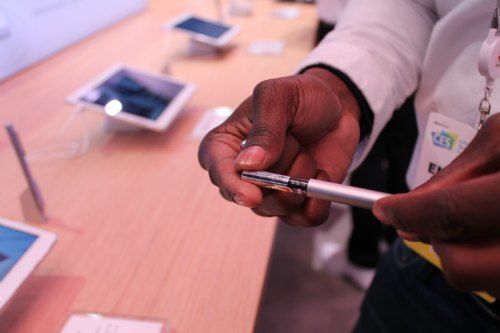
bamboo smart pen

The Wacom Bamboo Smart will be for sale in February 2016. It’s an AES pen that will work on a wide variety of AES devices from various companies. AES has really caught on.


wacompens

Loved the candy-colored custom Wacom pens.

wacompen

Each pen has its own unique ID. People from all over the world can create and collaborate using the exact same colors.


artmonitor

Art made on a Cintiq being shown on a large monitor.


intelartdemoces

Artists were doing demos on the Surface Pro 4,  Intel was there to show off its processor.

They were posting live video stream of digital artists doing painting demos on twitch.tv, here is a link to the video page. The videos are several hours long.

intel3dpainting

This was very interesting, an Intel 3D painting demonstration. 3D painting is getting big, and interacting with 3D printing. If you subscribe to Adobe Creative Cloud, you now have access to more 3D offerings. There’s clearly more interplay between the 2D and analogue worlds.

Here’s a YouTube video of one of the 3D painting demos at CES.


Samsung has released the Galaxy Tab Pro S, which runs Windows 10. The people at CES told me there’s no pen option, but I’ve read elsewhere that there will be a Bluetooth one. No pressure sensitivity. But it does look really nice. I did tell them I wish it were not called S, as it’s confusing because there is no S Pen. They kinda just looked at me.

samsunggalaxytabproS

Samsung Galaxy Tab Pro S

thinkpadx1carbon

Lenovo ThinkPad X1 Carbon

The Lenovo ThinkPad X1 Carbon, a super-thin Ultrabook was also released. No touchscreen.


boogieboardcolor

The new Boogie Board LCD writing tablet works in color–this is for kids, and reminds me of wax resist.

gaminggiantces

There was a lot of gaming stuff, of course. I was fortunate to try out VRGEAR virtual reality. Suddenly I was in a living room with a mountain view, and there was a coffee table with magazines, and I was watching Phineas and Ferb. The only “real” part was that I was watching Phineas and Ferb! Possibly, they were more real than I was…

oculusriftgamers

Here are some Oculus Rift viewers experiencing an altered reality (as if Vegas wasn’t enough!) Though they’re all in the same room, they’re in separate worlds.

oculustouch

augmentedreality

ceskidgaming

Dramatic lighting for dramatic gaming.


waltopstylus

Waltop makes digitizers and active capacitive styluses for a lot of familiar products.

tablets for artists at ces

A rully big shew needs a rully big sign!


2015 Art Tablet Gift Guide: gift ideas for the digital artist

Art Tablet Gift Guide for 2015

‘Tis the season to paint with pixels… here are some nifty gift ideas for the tablet-totin’ creative type in your life (and maybe that someone is you!)

art tablet gift tguide


PENCIL BY FIFTY-THREE

Pencil by Fifty-Three for the iPad, This Bluetooth stylus works with Paper and other  art apps. And it looks like a carpenter’s pencil. Compatible with iPads 3+, iPad mini, iPad Pro, iPhone 4s and above.Artist gloves keep that tablet finger-print free and reduce friction.
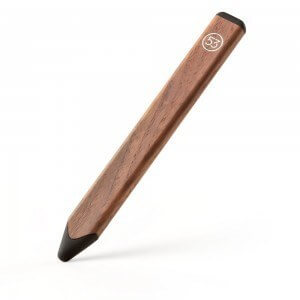
pencil by fifty three


SENSU BRUSH AND STYLUS

This Sensu brush and stylus adds painterly touches and brushy textures to iPad art. It opens up many new possibilities to painting on a capacitive screen.

For more of the best iPad styluses for art, lookie here.

best ipad stylus sensu


SURFACE PEN TIP KIT

This Surface Pen TIp Kit with varying nibs (2H, H, HB, B, and ballpoint pen) for the new Surface Pen makes a super stocking stuffer for your doodler.

–Here’s the skinny: The new Surface Pen is included with the Surface Book and Surface Pro 4, but the tip kit is not included. The new pen also works with the Surface Pro 3, but the SP3 comes with the old pen, and the nibs can’t be used with that. If you buy a new Surface Pen by itself, the tip kit comes with it–so if your artist has a Surface Pro 3 and you want these nibs, you have to buy the whole pen. How do you tell which pen is which? The new pen has just one button on the side.


TSA-FRIENDLY LAPTOP BACKPACK

A TSA-friendly laptop backpack is a great present for your traveling artist. At many airports this will speed you through security. The packs open up to reveal your laptop. Some also are tricked out with additional safety features, such as RFID blocking and slash-proof fabric


LAPTOP AND TABLET MESSENGER BAG

For daily commutes or interviews with art directors, this TSA-friendly messenger bag by Timbuktu has both a laptop and tablet compartment to keep gear safe. It also has a handy handle.

timbuk2 messenger tsa


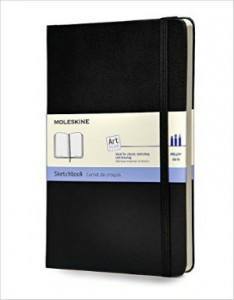
MOLESKINE ART PLUS SKETCHBOOK

moleskine art plus sketchbook

You can’t go wrong with a Moleskine Art Plus Sketchbook. Why is this in a tablet gift guide? Pretty much all artists, digital or not, still carry a sketchbook (or they should). Best of all … no batteries. The this classic style and high quality make it an ideal gift or stocking stuffer.


FLIPSTEADY CASE

These are handmade, artisanal cases for Cintiq Companions, iPads, paper pads, and more, with unique features. Buy straight from the maker. Use the code tabletsforartists to get $5 off. Also, we interviewed the maker.

flipsteady cases


GAMEVICE IPAD MINI GAMING CONTROLLER

gamevicecontrolleripadmini

The Gamevice turns your iPad mini 1, 2, 3, or 4 into a gaming console for a large and ever-growing game library in the App Store. Non-Bluetooth; attaches to Lightning Port.

PORTABLE EXTERNAL HARD DRIVE

This popular portable external hard drive by WD comes in 500GB, 1 TB, 2 Tb, and 3TB. That should be plenty to carry all those big files anywhere.


WACOM INTUOS CREATIVE STYLUS 2

Turn your iPad into a pressure-sensitive canvas with this Wacom pen. The Bluetooth stylus affords Wacom features to your iPad.


BOOGIE BOARD E-WRITER
boogie-board-lcd-writing-tablet

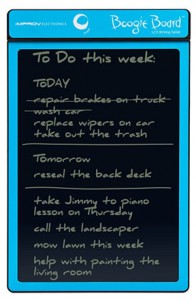
It’s weird, but I really love my Boogie Board (and apparently thousands of other people do, too!). It’s a low-cost LCD writing tablet made of lightweight plastic. The surface is pressure sensitive, and you can draw on it with a stylus or just about anything. (You can upload images you drew if you use this Bluetooth model) Check out their site to learn more.


MANGA MATERIALS

Manga madness in the house? Encourage it with this Wacom Intuos Comic tablet. It comes with a Comic Pack of software to get them cranking out manga and anime, art forms with distinctive characters and dynamic compositions. For software only, try Manga Studio 5. Oh, and here’s a highly rated book, Beginner’s Guide to Creating Manga Art.


BAMBOO SPARK

https://youtu.be/C5FnDqnfk-s

The Bamboo Spark lets you draw on real paper but captures your art digitally.  You draw with a a ballpoint pen, press a button, and the drawing goes to immortality in the Wacom Cloud. Here’s a video if you don’t believe it.


ERGONOMIC GRIP FOR WACOM PRO AND GRIP PEN

Forget that suffering for art stuff. An ergonomic grip for the Wacom Pro and Grip Pens. It’s a wider grip shaped to lessen stress. Illustrators often draw for hours on end, and this makes it more comfortable.


MOUNTING ARM

mounting arm might really help that illustrator laboring in front of a big, table-bound Cintiq or other tablet monitor. It allows more freedom of monitor position, and saves space–just clamp it to a desk or use a wall mounting arm. Be sure you have a VESA mount on the back of the monitor and that the arm can hold the correct weight. This one’s by Ergotron.

ergotron lx desk mount arm


AEROPRESS COFFEE AND ESPRESSO MAKER

No art tablet gift guide would be complete without… Coffee! The popular Aeropress coffee maker uses the scientific method to make a brew potent enough to meet those deadlines. Geeks love it.

coffee for artists


OTTERBOX CASE FOR IPAD

If you’re looking  for a case to protect your iPad, the Otterbox is built like a tank.


NVIDIA SHIELD TABLET

Got a gamer who likes to draw? Or someone who doesn’t game, but likes to draw? This affordable, newly released NVIDIA Shield tablet is speedy as a road runner. It has a drawing app called Dabbler that takes advantage of the fast Tegra chip. For more info, see this post.

nvidia shield tablet


LYNDA.COM SUBSCRIPTION

Give a Lynda.com gift subscription of one month, three months, or a year. Lynda is a software-tutorial site that’s is the go-to place to learn Adobe Photoshop and Illustrator. There are courses in many, many programs, enough to keep anyone occupied forever.  (You can also access the content for free via many libraries if you’ve got a library card. Check with your local library.)


IPAD PRO WITH APPLE PENCIL (Pencil is sold separately)

iPad Pro, of course. Don’t forget the Apple Pencil. The Pencil delivers natural-looking, soft pencil goodness in digital form. Addictive.

applepencilfordrawing


end of Art Tablet Gift Guide 2015