Greetings from CES 2016

me at ces

Taken with Nubia smartphone light-painting app, demo was at the Nubia booth.

I’m here at the Consumer Electronics Show in Las Vegas. Hoping to find and report the latest in art tablet news. Have had an exciting time visiting booths such as Waltop, Huawei, and Wacom.

lenovothinkpadx1yoga

Lenovo ThinkPad X1 Yoga on display at CES

Lenovo released the ThinkPad X1 Yoga, a major tablet PC for 2016, at CES. With a skinny profile of .66″, an amazing optional OLED display, and a Wacom ES pen, this could make artists very happy. Pricey, though.

Dell also refreshed its line of slate tablets.

Another exciting development was the Toshiba Dynapad, which has been for sale in Japan since last year. It’s a Windows tablet with a Toshiba TruPen, which uses Wacom AES and is the same pen  in the Toshiba Encore 2 Write. The Dynapad is a 10″  Atom Tablet that runs Windows 10, and weighs just 1.28 lbs. It’s pretty affordable for what you get. It will hold a micro SD card, and get up to 4GB of RAM. Though you could run Photoshop on it, it’s not going to have the power of a full laptop. Still, for the price and precision pen, this could be a cool and easy to carry tablet.

Battery Life

11 hours for non-OLED, 9 hours for OLED


Really looking forward to this Huawei MediaPad M2 tablet. It’s similar to a Galaxy Tab, is very lightweight, has Harmon Kardon sound, and best of all, the pen has 2,048 levels of pressure. It’s also fine-tipped, making it much easier to draw than one with a spongey tip. It also doesn’t need a disk around the tip.

huaweitablet

huaweipentablet

The pen opens up this dashboard, similar to the Galaxy tablets. The tablet has a Huawei Kirin CPU Octa-Core 64-bit processor.

.

huaweimediapadpen

The Huawei MediaPad M2 active pen takes a battery.


bamboo smart pen

The Wacom Bamboo Smart will be for sale in February 2016. It’s an AES pen that will work on a wide variety of AES devices from various companies. AES has really caught on.


wacompens

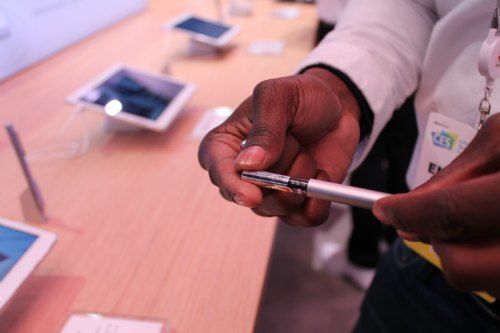
Loved the candy-colored custom Wacom pens.

wacompen

Each pen has its own unique ID. People from all over the world can create and collaborate using the exact same colors.


artmonitor

Art made on a Cintiq being shown on a large monitor.


intelartdemoces

Artists were doing demos on the Surface Pro 4,  Intel was there to show off its processor.

They were posting live video stream of digital artists doing painting demos on twitch.tv, here is a link to the video page. The videos are several hours long.

intel3dpainting

This was very interesting, an Intel 3D painting demonstration. 3D painting is getting big, and interacting with 3D printing. If you subscribe to Adobe Creative Cloud, you now have access to more 3D offerings. There’s clearly more interplay between the 2D and analogue worlds.

Here’s a YouTube video of one of the 3D painting demos at CES.


Samsung has released the Galaxy Tab Pro S, which runs Windows 10. The people at CES told me there’s no pen option, but I’ve read elsewhere that there will be a Bluetooth one. No pressure sensitivity. But it does look really nice. I did tell them I wish it were not called S, as it’s confusing because there is no S Pen. They kinda just looked at me.

samsunggalaxytabproS

Samsung Galaxy Tab Pro S

thinkpadx1carbon

Lenovo ThinkPad X1 Carbon

The Lenovo ThinkPad X1 Carbon, a super-thin Ultrabook was also released. No touchscreen.


boogieboardcolor

The new Boogie Board LCD writing tablet works in color–this is for kids, and reminds me of wax resist.

gaminggiantces

There was a lot of gaming stuff, of course. I was fortunate to try out VRGEAR virtual reality. Suddenly I was in a living room with a mountain view, and there was a coffee table with magazines, and I was watching Phineas and Ferb. The only “real” part was that I was watching Phineas and Ferb! Possibly, they were more real than I was…

oculusriftgamers

Here are some Oculus Rift viewers experiencing an altered reality (as if Vegas wasn’t enough!) Though they’re all in the same room, they’re in separate worlds.

oculustouch

augmentedreality

ceskidgaming

Dramatic lighting for dramatic gaming.


waltopstylus

Waltop makes digitizers and active capacitive styluses for a lot of familiar products.

tablets for artists at ces

A rully big shew needs a rully big sign!


Best tablets for kids

Best tablets for kids

by Tablets for Artists

What are the best tablets for youngsters? It seems like kids’ digital gear is getting more like grownups’. For better or worse, children probably consume as much electronic media as adults. Quality educational content, password protection, user profiles for each child, a good amount of memory and speed, and of course, durability are all things to look for in choosing a mobile device for kids.

(On a budget? See our article Cheap tablets for kids)

besttabletsforkids2015

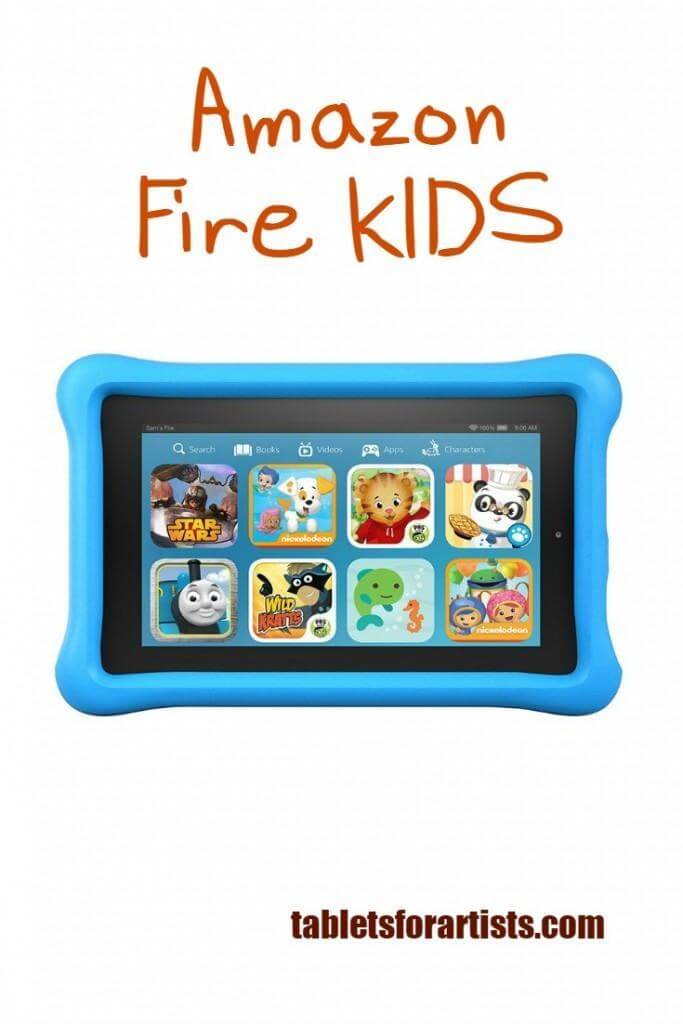
Amazon Fire Kids

The Amazon Fire Kids Edition is an Amazon Fire with kids’ content. The Amazon Fire is a pretty nice tablet worth twice the price. You can even buy a sixpack for a discount. The browser is fast; movies open right away and play well. The Kids Edition carries a two-year “worry-free guarantee” that Amazon will replace the tablet if it gets damaged. (Warning: I had them replaced my damaged Kindle once and they sent me a refurbished one–not that that’s surprising, but they don’t tell you).

The Kids Edition also comes with a year of Free Time Unlimited, Amazon’s children’s content. You can expand storage by adding microSD card of up to 128 GB. It has Wi-fi and Bluetooth. The price and quality make it in our book one of best tablets for kids, and Consumer Reports agrees. Parental controls let you oversee what goes on the tablet and open some content only after the youngsters have met their educational goals–quite a taskmaster.


leapfrogepickidstablet

Leapfrog Epic

This popular, durable kids’ tablet has strong parental controls, kid-safe browsing, and educational games common to quality children’s tablets. It has in interesting feature in that kids can create their own “worlds” with home screens featuring images and animations that they pick. The tablet sports Android 4.4 and a quadcore processor, and 16 MB of RAM with an expandable SD card, so it’s quite powerful. The Leapfrog Epic apps list is large and continues to grow.  The Google Play  store is not available on this, but adults can access the Amazon apps store; the company says the Amazon app store provided smoother integration. It doesn’t take cartridges, which is nice; you download games and other content instead. Aimed at kids ages 3-9.

Navi DreamTab HD8 with Wacom DreamPennavidreamtabhd8wacom


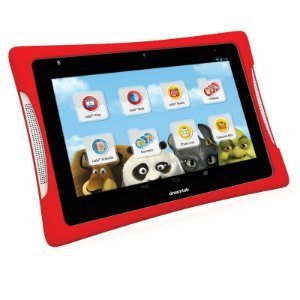
Navi Dreamtab HD8 with Wi-fi

Fuhu developed the Navi Dreamtab 8 in conjunction with DreamWorks Studio, and brings kids into the world of Dreamworks and the Wings Learning System. Some users have experienced glitches, but I’m including the tablet here because of its pressure-sensitive Wacom stylus with palm rejection and accompanying Dreamworks art app. This is the only kids’ tablet I know of with Wacom; there aren’t details available about the levels, but if drawing is an important part of your child’s life and you want expand their toolbox into digital art, this gives them more of an art experience. It has an 8″ display Android KitKat 4.4 and an NVIDIA Tegra chip for real speed.


ipadminiretina

iPad mini

While it might not be thought of as the best tablets for kids because of its relative fragility, the iPad mini (pictured: Mini 3 Retina Display) can deliver plenty of great children’s content from the Apple app store. I wouldn’t recommend it for a toddler but more for a careful, gentle child… :-)… a good rugged case for kids would help a lot. If you combine it with the creative Osmo gaming system (below) for iPad, the kiddies will keep busy well into the New Year.


Osmo gaming system for iPad

 osmogamingkids

Not a tablet, but a gaming system that goes with an iPad. The Osmo award-winning game system for iPad conjoins the digital and offline worlds. It’s an app that comes with a starter kit of 5 offline games, including the Tangram, composed of wooden pieces, as well as a drawing, words, and numbers games. It’s compatible with iPad 2, iPad 3, iPad 4 iPad Mini, iPad Mini Retina, and all versions of the iPad Air. Encourages learning, creativity, thinking skills, and playing with others; with features that appeal to all ages, the whole family can join in.


Also see Cheap tablets for kids

Looking for a tablet for any age? See our post on finding the best drawing tablet for adults.


end of Best Tablets for Kids

2015 Art Tablet Gift Guide: gift ideas for the digital artist

Art Tablet Gift Guide for 2015

‘Tis the season to paint with pixels… here are some nifty gift ideas for the tablet-totin’ creative type in your life (and maybe that someone is you!)

art tablet gift tguide


PENCIL BY FIFTY-THREE

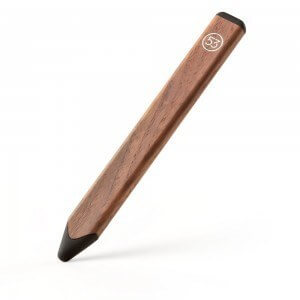
Pencil by Fifty-Three for the iPad, This Bluetooth stylus works with Paper and other  art apps. And it looks like a carpenter’s pencil. Compatible with iPads 3+, iPad mini, iPad Pro, iPhone 4s and above.Artist gloves keep that tablet finger-print free and reduce friction.

pencil by fifty three


SENSU BRUSH AND STYLUS

This Sensu brush and stylus adds painterly touches and brushy textures to iPad art. It opens up many new possibilities to painting on a capacitive screen.

For more of the best iPad styluses for art, lookie here.

best ipad stylus sensu


SURFACE PEN TIP KIT

This Surface Pen TIp Kit with varying nibs (2H, H, HB, B, and ballpoint pen) for the new Surface Pen makes a super stocking stuffer for your doodler.

–Here’s the skinny: The new Surface Pen is included with the Surface Book and Surface Pro 4, but the tip kit is not included. The new pen also works with the Surface Pro 3, but the SP3 comes with the old pen, and the nibs can’t be used with that. If you buy a new Surface Pen by itself, the tip kit comes with it–so if your artist has a Surface Pro 3 and you want these nibs, you have to buy the whole pen. How do you tell which pen is which? The new pen has just one button on the side.


TSA-FRIENDLY LAPTOP BACKPACK

A TSA-friendly laptop backpack is a great present for your traveling artist. At many airports this will speed you through security. The packs open up to reveal your laptop. Some also are tricked out with additional safety features, such as RFID blocking and slash-proof fabric


LAPTOP AND TABLET MESSENGER BAG

For daily commutes or interviews with art directors, this TSA-friendly messenger bag by Timbuktu has both a laptop and tablet compartment to keep gear safe. It also has a handy handle.

timbuk2 messenger tsa


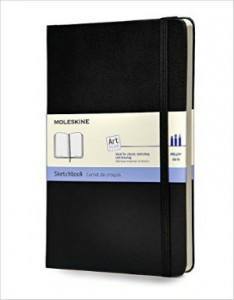
MOLESKINE ART PLUS SKETCHBOOK

moleskine art plus sketchbook

You can’t go wrong with a Moleskine Art Plus Sketchbook. Why is this in a tablet gift guide? Pretty much all artists, digital or not, still carry a sketchbook (or they should). Best of all … no batteries. The this classic style and high quality make it an ideal gift or stocking stuffer.


FLIPSTEADY CASE

These are handmade, artisanal cases for Cintiq Companions, iPads, paper pads, and more, with unique features. Buy straight from the maker. Use the code tabletsforartists to get $5 off. Also, we interviewed the maker.

flipsteady cases


GAMEVICE IPAD MINI GAMING CONTROLLER

gamevicecontrolleripadmini

The Gamevice turns your iPad mini 1, 2, 3, or 4 into a gaming console for a large and ever-growing game library in the App Store. Non-Bluetooth; attaches to Lightning Port.

PORTABLE EXTERNAL HARD DRIVE

This popular portable external hard drive by WD comes in 500GB, 1 TB, 2 Tb, and 3TB. That should be plenty to carry all those big files anywhere.


WACOM INTUOS CREATIVE STYLUS 2

Turn your iPad into a pressure-sensitive canvas with this Wacom pen. The Bluetooth stylus affords Wacom features to your iPad.


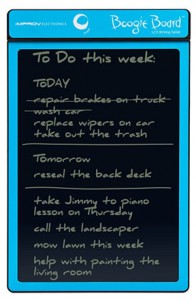
BOOGIE BOARD E-WRITER

boogie-board-lcd-writing-tablet

It’s weird, but I really love my Boogie Board (and apparently thousands of other people do, too!). It’s a low-cost LCD writing tablet made of lightweight plastic. The surface is pressure sensitive, and you can draw on it with a stylus or just about anything. (You can upload images you drew if you use this Bluetooth model) Check out their site to learn more.


MANGA MATERIALS

Manga madness in the house? Encourage it with this Wacom Intuos Comic tablet. It comes with a Comic Pack of software to get them cranking out manga and anime, art forms with distinctive characters and dynamic compositions. For software only, try Manga Studio 5. Oh, and here’s a highly rated book, Beginner’s Guide to Creating Manga Art.


BAMBOO SPARK

https://youtu.be/C5FnDqnfk-s

The Bamboo Spark lets you draw on real paper but captures your art digitally.  You draw with a a ballpoint pen, press a button, and the drawing goes to immortality in the Wacom Cloud. Here’s a video if you don’t believe it.


ERGONOMIC GRIP FOR WACOM PRO AND GRIP PEN

Forget that suffering for art stuff. An ergonomic grip for the Wacom Pro and Grip Pens. It’s a wider grip shaped to lessen stress. Illustrators often draw for hours on end, and this makes it more comfortable.


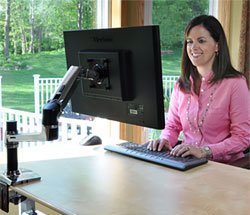
MOUNTING ARM

mounting arm might really help that illustrator laboring in front of a big, table-bound Cintiq or other tablet monitor. It allows more freedom of monitor position, and saves space–just clamp it to a desk or use a wall mounting arm. Be sure you have a VESA mount on the back of the monitor and that the arm can hold the correct weight. This one’s by Ergotron.

ergotron lx desk mount arm


AEROPRESS COFFEE AND ESPRESSO MAKER

No art tablet gift guide would be complete without… Coffee! The popular Aeropress coffee maker uses the scientific method to make a brew potent enough to meet those deadlines. Geeks love it.

coffee for artists


OTTERBOX CASE FOR IPAD

If you’re looking  for a case to protect your iPad, the Otterbox is built like a tank.


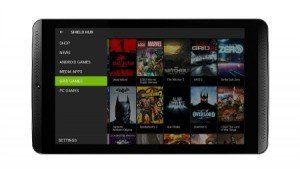
NVIDIA SHIELD TABLET

Got a gamer who likes to draw? Or someone who doesn’t game, but likes to draw? This affordable, newly released NVIDIA Shield tablet is speedy as a road runner. It has a drawing app called Dabbler that takes advantage of the fast Tegra chip. For more info, see this post.

nvidia shield tablet


LYNDA.COM SUBSCRIPTION

Give a Lynda.com gift subscription of one month, three months, or a year. Lynda is a software-tutorial site that’s is the go-to place to learn Adobe Photoshop and Illustrator. There are courses in many, many programs, enough to keep anyone occupied forever.  (You can also access the content for free via many libraries if you’ve got a library card. Check with your local library.)


IPAD PRO WITH APPLE PENCIL (Pencil is sold separately)

iPad Pro, of course. Don’t forget the Apple Pencil. The Pencil delivers natural-looking, soft pencil goodness in digital form. Addictive.

applepencilfordrawing


end of Art Tablet Gift Guide 2015


ipadpencilreview

iPad Pro review: the Pencil is mightier than the stylus
Man skating, done in SketchBook app

iPad Pro review: the Pencil is mightier than the stylus

ipadprofordrawing

by Tablets for Artists

Note: here’s a post about what’s new on the iPad Pro 2017 (10.5″ and new 12.9″)

Features

12.9″ (diagonal) Retina display, LED backlit, multitouch
4GB RAM, 32 GB and 128 GB models (memory not upgradeable)
Wi-fi and cellular models. Wifi superior to regular iPad
Resolution: 2732 x 2048 (5.6 million pixels, 264 ppi)
Colors: silver with white faceplate, gold with white faceplate, Space Gray with black faceplate
Adjustable refresh rate increases speed
A9X chip with 64‑bit architecture, fast enough to edit 4K video
Speakers directly in unibody enclosure; four hi-fi speakers
Magnetic connector connects keyboard and other accessories
8MP camera
Sound adjusts according to tilt

9.7″ iPad Pro:
2GB memory
2048 x 1536 resolution (also 264 ppi)

ipad pro

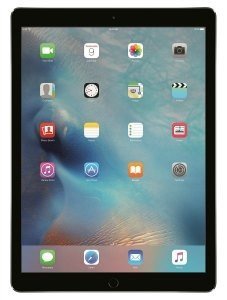
iPad Pro 12.9″ with Apple Pencil

What’s in the Box:

iPad Pro
Lightning to USB Cable
USB Power Adapter

Optional Accessories:

Apple Pencil
Apple Smart Keyboard or third-party keyboard

ipadproreviewpin


Overview

Update: Additional info about the 9.7″ iPad Pro further down the page. The main advance of the smaller one is the display.

The first thing I noticed about the iPad Pro was how much lighter it feels than it looks. It’s rail-thin, but has a sturdy build. The screen real estate is generous, giving 78% more space than the iPad Air 2, and there’s enough bezel to let you hold the tablet by it. I like the subtle silver trim, a bit of tinsel for the holiday-season release. There’s even a matching silver band near the charger end of the Pencil.

You can keep the screen print-free by using the Apple Pencil, whose sleek, white surface brings to mind a pipette. I’ve always found inspiration in the sight and smell of worn graphite nubs with their flaking ochre paint. But this colorless, plastic implement feels just familiar enough, and its blankness begs you to add color and life. Whereas the MacBook had a pressure-sensitive, Touch Force touchpad, the iPad Pro put that into the screen, and integrated it with the Pencil. It brings to mind Steve Jobs’ pronouncement: “Design is not just what it looks like and feels like. Design is how it works.” (I think we can move past his anti-stylus stance at this point). But for all the great design, it isn’t a complete artist’s paradise, as we will see.

The Pro’s size is the main difference from an ordinary iPad tablet. It’s a heck of a lot faster, too, with performance rivaling many desktop computers, both Apple and PC. It has a powerful graphics and adjustable screen refresh rate, which lengthens battery life. The high-res retina display screen has great color and is sharp as can be. You could probably find a needle in a photo of a haystack.

The ppi is 264, about the same as the Surface Pro 4.

Portability

At about a pound and a half, it’s light enough on its own to carry around easily, but not that comfy to hold in one hand, or hold up to read in bed. The size requires a bag big enough to hold a laptop. And after adding a protective hard cover and keyboard, you end up with as much weight as a laptop.

Drawing with the Apple Pencil

applepencilfordrawing
Apple Pencil. (Click image to see it at Amazon)


applepencilreview

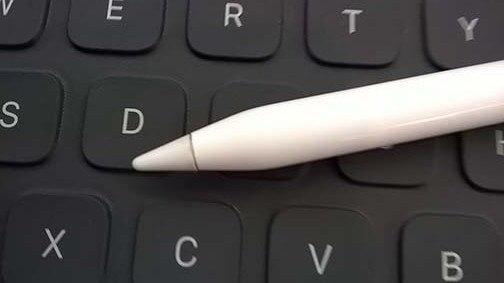
Apple Smart Keyboard keys


The long, elegant Pencil, powered by Bluetooth, has terrific accuracy. There’s no parallax or jagged lines around the edge, no skips or stepped lines. The processor uses Force Touch to provide pressure sensitivity. Tilt and rotation feel natural. You even draw using the Pencil with the tip on its side to do shading. The line is quite soft and natural looking, like a 4B pencil. It’s the best stylus for drawing that there is. Kudos to Apple for continuing to innovate.

appleipadproreviewdrawing

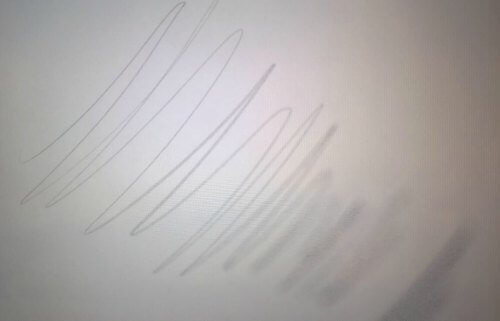
Soft, natural-looking pencil lines

Below are lines and shading done with the tip and then, going toward the bottom right corner, with the side of the Apple Pencil.
applepencilreview.lines


Palm rejection works well, unless you put several fingers down at the same time, then it gets confused, but that’s to be expected.

In keeping with the minimalist creed, there are no buttons on the Pencil, and no eraser–a cap covers the non-drawing end, and you take off the cap to plug in the Pencil to charge it. There aren’t settings for the Pencil, you just pair it with Bluetooth and that’s it.

The Pencil is comfortable to hold, though I think it could feel heavy after drawing for long periods. One neat thing is that you can grip the pencil near the non-tip end and use some wrist action to draw loosely, as you might with a charcoal pencil. This is made possible by the shape of the tip, and the weight helps. Because a fair amount of the tip can leave marks, the Apple Pencil reminds me a bit of a woodless graphite pencil, which I enjoy using in my non-digital time.

Some of the brushes took time to settle into a shape slightly different from what I’d drawn, as if to impart the effect of liquid ink. There was no such delay or change using the Pencil for pencil lines.

There’s no “tooth”; the glass screen is slick. The Pencil’s tip has a hint of cushioning but is pretty hard. It’s difficult to say if or how much the tips will wear down. So far, Apple is not selling replacement tips. If it shows signs of wear, you can rotate it while drawing to keep it sharp, as artists often do with graphite pencils.

One annoyance is that there’s no way to attach the Pencil to the iPad Pro. There’s no pen loop, USB holder, slot, or magnet, as on the Microsoft’s Surface Pro 4.  There’s no ridge to stop it from rolling should the iPad be resting at an angle. You gotta have a plan for that.

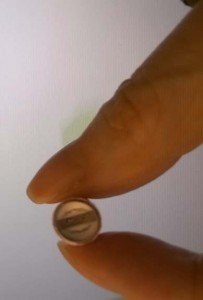
Worse, the little cap that covers the charger can easily get lost, leaving the charger vulnerable. It would be nice if the cap could fit over the pencil end while the pencil is charging, but it doesn’t.
applepencilreview

Is that a charger cap in your hand, or an aspirin for when you lose it?

You can’t use the Apple Pencil on other iPads, only the Pro. Bluetooth styluses and keyboards will still work; the Pencil pairs with the iPad Pro via Bluetooth.

man skating for illustration friday site

You can draw with the side of the tip of the Pencil. Drawing at a less sideways angle with the Pencil brought better and more realistic results. Drawing directly with the side didn’t look so much like a pencil mark as a soft, spongy brush or big crayon.


ipadpencilreview

This dog is practically drooling over the Lightning Connector.

You can use your finger to make playful marks while also using the Pencil.

My handwriting looked pretty natural, but it felt like a bit more effort to write, and when writing in cursive the letters flattened out a little. That doesn’t happen with Wacom.

ipadproreview.pencil

You can put your John Hancock onto documents.

In the Notes app, you can pull up a virtual clear plastic ruler and move it around with the Pencil or your fingers, and use it to draw straight edges. Very cool, and useful for drafting. You can use apps that have layers, such as Sketchbook Pro.

You can only use apps, not full desktop programs. There’s no easy way to access your files to open them in different apps, and, annoyingly, no central way of saving them.

Display: 12.9″ iPad Pro vs. 9.7″ iPad Pro

The gorilla glass is pretty slick, and the Pencil slides across it, but it isn’t as slippery as some screens. Colors look great.

Both the larger and smaller iPad Pros cover and slightly exceed the whole sRGB gamut. The 12.9″ iPad Pro has excellent color accuracy, and the 9.7″ very good, with a very bright screen, about 430 nits. The larger Pro is less bright, at about 375 nits. The smaller one, though, has TrueTone color, which adapts itself to your surroundings, and is supposed to emulate paper. Don’t worry, you can disable TrueTone in the settings if you want.)

It also uses a second color gamut, the DCI-P3 Wide Color Gamut. That’s what’s used in 4K UHD TVs as well as digital cinema. It also has Night Shift, which takes out the blue light that keeps you up (similar to fl.ux, a free Windows app). The smaller iPad Pro has virtually perfect color accuracy.

So is the amazing screen a reason to choose the smaller one? Maybe, but I still prefer the larger screen. Hopefully Apple will make the next version of the larger one with an equally great display.

Lightning Connector

Now instead of just charging your iPad, the Lightning Connector is bidirectional–it can give, and take, power. On the iPad Pro, it serves to not only charge the device, but to connect a keyboard and charge the Apple Pencil.

Battery Life

The Pro has 10 hours of battery life, and the Pencil lastsfor 12 hours on a full charge. And charging the Pencil for just 15 seconds, a deed akin to sharpening a wooden pencil, gives you 30 more minutes of drawing.

The charging port is on the side of the iPad Pro, so that the Pencil point sticks out at a perpendicular angle into the air–so be a little careful in crowded coffee shops.

User Reviews

The iPad Pro pushes pressure-sensitive tablets into the mainstream. Some users are finding that it substitutes for a laptop and a tablet, while some who already have a laptop and tablet can’t find much use for it and think the size is awkward. It wears many hats (caps?)–people are using it as a TV, a newspaper, ebook reader, a way to get work done on planes, trains, and buses, and a not-the-most-efficient laptop once you connect a keyboard. One iPad Pro review by an attorney praised it for saving a lot of paper, as you can pull up and sign PDFs so easily. It is ideal for paperwork. Professional artists doing an iPad Pro review seem to pretty much agree that it’s a sketchbook, not a substitute for a computer with desktop apps. Using the Apple Pencil for drawing is a hit with most people. Many iPad Pro and Apple Pencil reviews rave that the Pencil beats Cintiq pens. I do agree that it gives a new level to the digital drawing experience, and is fun as well.

Pros

Pencil has excellent accuracy
Tilt and rotation sensitivity, including using the side of the tip
Excellent palm rejection
Good for note-taking
Portability
Generous size
4:3 aspect ratio
High-res screen
Fast
LTE options
Good for tasks such as signing documents, dealing with PDFs–can replace a lot of paper


Cons

Cost
No way to tether Pencil to the iPad, or the end cap to the Pencil
Lack of eraser tip
OS doesn’t allow for convenient file management
Cannot use full programs such as Photoshop
no USB port
No SD card slot; storage not upgradeable
Screen is slick
Pencil is a bit heavy

Optional Accessories

 

icon

Apple Pencil. Click image to see at Best Buy
icon

ipadproreview

Apple Smart Keyboard. Click image to see at Best Buy
icon

The Verdict

Is the iPad Pro a substitute for a laptop? Not really. Even using the iPad Pro with a keyboard is limiting. The keyboards for it can’t provide touchpads, you can’t use a mouse, and you can’t adjust the angle of the screen.

Is it a substitute for a Cintiq? Not really. You can only use apps with the iPad Pro, pressure sensitivity is app-dependent. The Pencil is not the issue here, nor is the screen. It does supply more of an “experience,” and solves the small, irritating issues with lines that affect Wacom, N-trig and other digitizers. But the OS is limiting. You can’t use full Photoshop or Illustrator or do efficient file management.

On the positive side, I think anyone could pick this up and intuitively go with the flow, just draw, without any learning curve, and that’s motivating. Drawing could get pretty addictive, especially with the ability to share the drawings so easily. Even the Wacom Cintiq 6D art pen doesn’t perform the side-shading feat. Beginning or hobby artists would love this, and professional artists would enjoy it as a very cool-looking digital sketchbook. I have no doubt it will be popular.

Apple hasn’t deigned to tell us how many levels of pressure sensitivity there are. Guess we shouldn’t worry our pretty little heads about it.

See the iPad Pro on Amazon

There are some handy, low-cost accessories out there that solve the annoying problem of the loose cap that can roll away. They add a little weight, but many artists are happy with them.


Here’s a cool Apple Pencil clip:

Alternatives

If you’re looking for a less expensive digital sketchbook, we recommend the Samsung Galaxy Tab A 9.7″ with S Pen or the 2017, higher-end Samsung Galaxy Tab S3, both Android tablets with a Wacom digitizer.

Update: Here’s the new Surface laptop (Surface Pro 5)


The Toshiba dynaPad, a mobile Windows 10 tablet, is also one to consider if you’re seeking a portable sketchbook. (note: this product is older now and no longer being made).

The Surface Pro 4 is probably the main competition to the iPad Pro as far as non-art issues; the Pro 4 will let you use Photoshop.

Accessories

If you’re looking for a handmade iPad Pro case that with an amazing set of positions, read our post about the FlipSteady.

Read all about the top drawing and graphics tablets.

end of iPad Pro review

See top iPad drawing apps.

See best artist tablet PCs

NVIDIA SHIELD Tablet K1 released: a tablet for gamers

NVIDIA Shield Tablet K1 just released

It’s baaaaackkk!  The NVIDIA Shield K1 has just been released following the recall of the old NVIDIA SHIELD Tablet for fire-hazard issues. This time though, just the 16GB model, and it’s bring your own stylus. This tablet is aimed at gamers and has a Tegra processor that makes it really fast, faster than other Android tablets. The art app Dabbler that came in the first version provides real-time dripping paint effects, so you can do a mini Jackson Pollack Action Painting.

nvidia shield tablet k1

This time there’s no micro-USB, charger, or stylus included: It’s bring your own accessories. This has allowed the company to introduce it with a far lower price than the last version. But even if it lacks both a stylus and a slot for it, this version still compatible with the Shield DirectStylus 2, which offered sort of an artificial yet effective pressure sensitivity.

At 8″ it’s a little bit small to draw on, but at least lag shouldn’t be an issue.

Specs:

8 inches
1920×1200 pixels
2.2 GHz Tegra K1 192-core NVIDIA Kepler CPU
2.2 GHz quad-core CPU
2 GB RAM
16 GB storage
Wifi (no LTE)
Bluetooth
Android 5.0 Lollipop
Weight 12.5 ounces
8.80 x 5 x 0.36 inches
mini HDMI port
micro SD port takes card of up to 128 GB

It can be turned into a gaming console with the SHIELD controller (optional) and also has an optional kickstand.

Best of all, the NVIDIA SHIELD Tablet is very affordable and considerably less than the last version. They are not including the stylus, the Shield DirectStylus 2 with this release, but you can buy it separately.

See the NVIDIA SHIELD Tablet K1 on Amazon.

See the Shield DirectStylus 2.

For more info on the art capabilities, please see this related post.